
Unlocking the Power of Niu Kqi3 Max: A Comprehensive Guide
 PopScooter Team
June 18, 2026 4:42 pm
.
11 min read
PopScooter Team
June 18, 2026 4:42 pm
.
11 min read

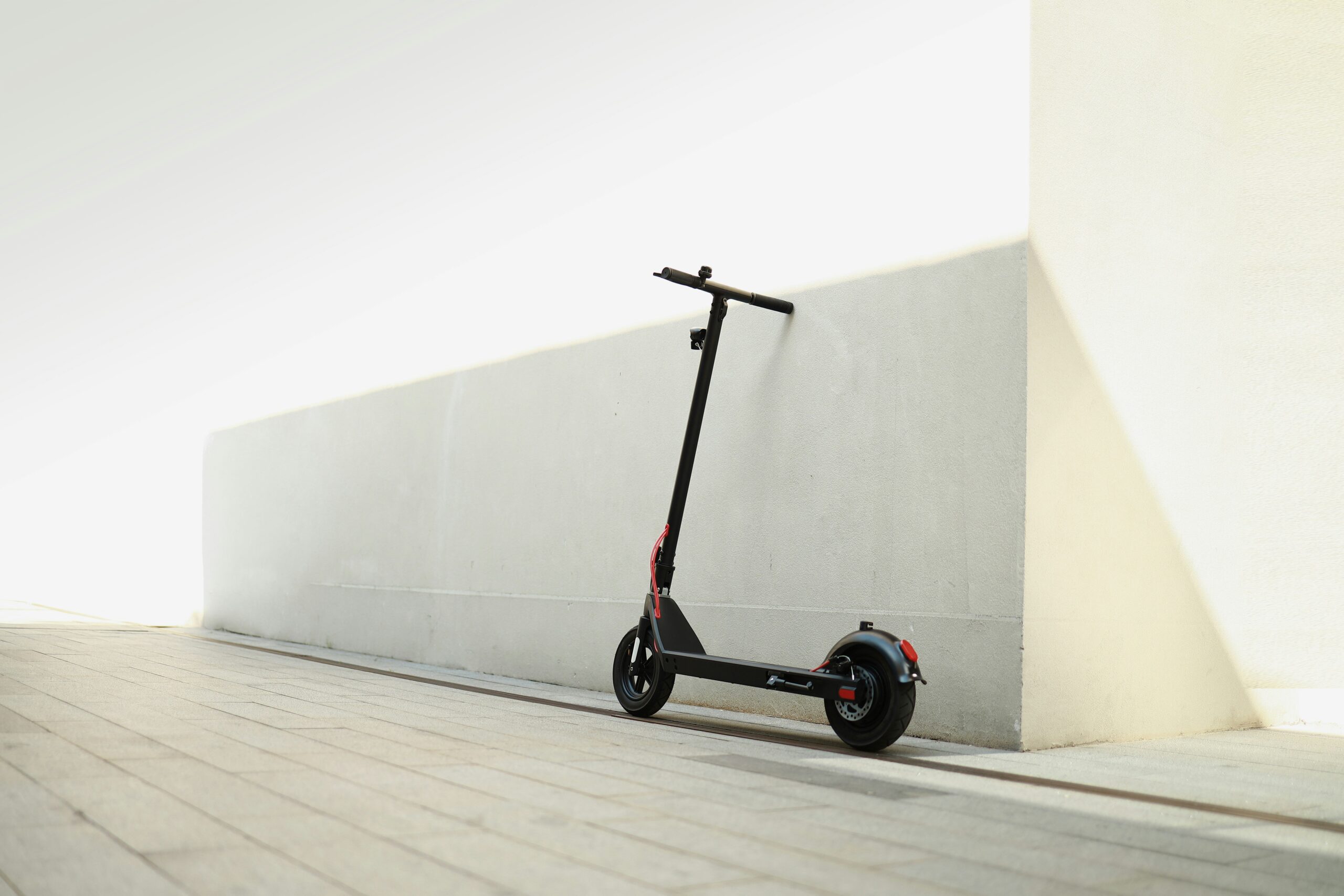
The Niu Kqi3 Max is a fantastic electric scooter, and if you’re wondering whether it lives up to the hype, the short answer is a resounding yes. It’s a robust, well-built machine that offers a comfortable ride, decent speed, and a practical range, making it a solid choice for daily commutes and urban exploration. But like any piece of tech, getting the most out of it requires understanding its nuances. Let’s dig into what makes the Kqi3 Max tick and how you can optimize your ownership experience.
So you’ve unboxed your Niu Kqi3 Max – exciting! Don’t just hop on and go, though. A little prep work goes a long way.
Assembly and Initial Checks
Putting the Niu Kqi3 Max together is pretty straightforward. You’ll mostly be attaching the handlebars.
- Handlebar Attachment: The handlebars connect securely to the steering column. Make sure all bolts are tightened properly. You don’t want any wobbles.
- Tire Pressure: This is crucial. Factory tires are often under-inflated. Check the recommended PSI (usually found on the tire sidewall or in the manual) and inflate accurately. Correct tire pressure dramatically affects ride quality, range, and safety.
- Brake Adjustment: Squeeze the brake levers. Do they engage firmly but not too aggressively? There should be a small amount of play before they bite. If they feel spongy or too tight, consult the manual for adjustment instructions or consider having a local bike shop take a look.
- Charge It Up: Give it a full charge before your first ride. This helps calibrate the battery management system (BMS) and gives you an accurate sense of its initial range.
Understanding the Dashboard and Controls
The Kqi3 Max has a clean, minimalist dashboard, but knowing what each icon means is important.
- Speed Display: Your current speed. Simple enough.
- Battery Indicator: Shows remaining charge, usually in bars or a percentage. Pay attention to this, especially for longer rides.
- Riding Modes: You’ll typically see indicators for E-Save, Sport, and Custom modes. We’ll dive into these shortly.
- Headlight/Taillight: Indicators to show if your lights are on. Always use them in low light or at night.
- Bluetooth/App Connection: Shows if the scooter is connected to your Niu app.
If you’re interested in the NIU KQi3 Max, you might also want to check out a related article that discusses various electric scooters and their features. This article provides insights into the performance, design, and technology of different models, including the NIU KQi3 Max. For more information, visit this link to explore the latest trends in electric scooters.
Mastering the Ride: Modes, Comfort, and Safety
The Kqi3 Max is designed to be user-friendly, but understanding its features will make your rides smoother and safer.
Riding Modes Explained
The Kqi3 Max offers a few different riding modes to suit various situations.
- E-Save Mode (Eco): This mode limits acceleration and top speed, typically to around 15 km/h (9 mph). It’s perfect for navigating crowded areas, conserving battery, or for newer riders getting used to the scooter’s feel. Your range will be maximized here.
- Sport Mode: This is where the Kqi3 Max shows its true potential. Full acceleration and top speed. Ideal for open roads and when you need to keep up with traffic. Be mindful of battery drain in this mode.
- Custom Mode: Accessible via the Niu app, Custom mode allows you to fine-tune your acceleration profile and top speed. Want a little more oomph than Eco but less aggressive than Sport? Custom is your friend. Experiment to find what works best for your commute.
Optimizing Comfort
While scooters aren’t known for plush rides, a few things can significantly improve your experience.
- Standing Posture: Keep your knees slightly bent and your weight balanced over the deck. This allows your body to act as a natural shock absorber over bumps.
- Handlebar Height: While not adjustable on the Kqi3 Max, ensuring you’re not hunching over too much is important. If you find yourself consistently uncomfortable, consider a scooter with adjustable handlebars for future reference, though for most, the Kqi3 Max height is fine.
- Tire Pressure (Again!): Seriously, this makes a huge difference. Too hard, and you’ll feel every pebble. Too soft, and you risk pinch flats and reduced range. Find the sweet spot.
- Foot Placement: Experiment with different foot positions. Some prefer one foot slightly forward, others side-by-side. Find what feels stable and allows you to react quickly.
Safety First, Always
No matter how confident you are, safety gear and awareness are non-negotiable.
- Helmet: This is not optional. Get a good quality helmet that fits properly. Your brain is worth protecting.
- Lights: Use the integrated headlight and taillight, especially in low light conditions. Consider adding a brighter aftermarket front light if you frequently ride at night on unlit paths.
- Visibility: Wear bright clothing, especially during dawn, dusk, or night. Reflective gear is a plus.
- Awareness: Always be aware of your surroundings. Anticipate traffic, potholes, pedestrians, and cyclists. Don’t assume others see you.
- Braking Technique: Practice smooth, controlled braking. The Kqi3 Max has disc brakes upfront and a regenerative brake at the rear. Use both for effective stopping power. Avoid sudden, hard braking, which can lead to skidding.
The Niu App: Your Scooter’s Digital Companion
The Niu app isn’t just a gimmick; it’s an integral part of the Kqi3 Max experience.
Key Features of the App
- Lock/Unlock: Secure your scooter digitally. It won’t power on without being unlocked via the app. (Note: this is a deterrent, not a theft-proof solution. Always use a physical lock.)
- GPS Tracking: Invaluable for locating your scooter if it’s stolen or if you forget where you parked it.
- Riding Statistics: Track your mileage, average speed, battery consumption, and more. Great for monitoring your usage and planning.
- Firmware Updates: Niu regularly releases updates to improve performance, fix bugs, and add new features. Keep your scooter updated through the app.
- Battery Health: Monitor the health and charge cycles of your battery.
- Custom Riding Modes: As mentioned earlier, this is where you can tailor your riding profile.
- Customer Support: Quick access to Niu’s support resources.
Tips for Using the App
- Keep Bluetooth On: For seamless connection and app functionality.
- Enable Notifications: Get alerts about low battery, abnormal movement (if locked), or new firmware.
- Explore Settings: Dive into the app settings to customize units of measurement, notifications, and other preferences.
Maintenance and Longevity: Keeping Your Kqi3 Max Happy
Regular maintenance isn’t just about preventing breakdowns; it’s about extending the life of your scooter and ensuring it performs optimally.
Daily and Weekly Checks
A few quick checks can save you a lot of hassle.
- Tire Pressure: Check it before every few rides. It makes a significant difference.
- Brakes: Ensure they’re responsive and free from squealing or grinding.
- Lights: Confirm both front and rear lights are working.
- General Tightness: Give the scooter a quick visual inspection. Are any bolts loose? Is the folding mechanism secure?
- Cleaning: Wipe down the deck and frame to remove dirt and grime. Avoid high-pressure washing, which can damage electronics.
Battery Care for Maximum Lifespan
The battery is often the most expensive component to replace, so proper care is paramount.
- Avoid Deep Discharges: Try not to consistently drain the battery to 0%. Recharging when it hits 20-30% is ideal.
- Don’t Overcharge: Once fully charged, unplug it. While modern BMS systems have protection, consistent overcharging isn’t ideal long-term.
- Storage Temperature: Store your scooter and battery in a cool, dry place. Extreme heat or cold can degrade the battery over time. If storing for an extended period, charge it to around 60-70% and check it periodically.
- Use the Original Charger: Aftermarket chargers might not have the correct voltage or charging profile, potentially damaging the battery.
Tire Puncture Prevention and Repair
Punctures are an inevitable part of scooter ownership. Be prepared.
- Slime or Puncture-Proofing: Consider adding a tire sealant like Slime to your pneumatic tires. It can seal small punctures automatically.
- Tire Liners: These inserts provide an extra layer of protection against sharp objects.
- Tubeless Conversion (Advanced): If your tires are tubeless-ready, converting them can reduce puncture risk. This is usually a job for a bike shop.
- Repair Kit: Carry a small tire repair kit (patches, levers, pump) if you plan longer rides. Learning how to change a tube is a valuable skill.
The NIU KQi3 Max is gaining attention for its impressive performance and sleek design, making it a popular choice among electric scooter enthusiasts. If you’re interested in exploring more about electric scooters and their features, you might find this article on the Inokim scooter particularly insightful. It delves into various models and specifications, helping you make an informed decision. For more details, check out the article here.
Advanced Tips and Accessories
Beyond the basics, there are ways to enhance your Kqi3 Max experience.
Customizing Your Ride
- Grips: If the stock grips aren’t comfortable, consider ergonomic replacements.
- Bell/Horn: The stock bell is okay, but a louder electric horn can be more effective in traffic.
- Phone Mount: Essential for navigation if you use your phone for directions. Look for sturdy, vibration-dampening mounts.
Lighting Upgrades
While the Kqi3 Max has decent integrated lights, you might want more.
- Brighter Headlight: An aftermarket headlight with more lumens dramatically improves visibility for you and to others.
- Additional Taillights: Clip-on taillights can be added to your helmet or backpack for extra rear visibility.
Security Enhancements
Even with the app’s lock feature, physical security is a must.
- U-Lock: A sturdy U-lock is a good primary deterrent.
- Chain Lock: A heavy-duty chain lock for securing your scooter to immovable objects.
- Alarm System: Some aftermarket alarms can be installed, though they often rely on vibration sensors.
- Location Choice: Always lock your scooter in well-lit, high-traffic areas if possible.
The NIU KQi3 Max is gaining attention for its impressive features and performance, making it a popular choice among electric scooter enthusiasts. If you’re interested in exploring more about the NIU lineup and its innovative designs, you might find this article on the NIU NQi GTS particularly insightful, as it highlights the brand’s commitment to quality and sustainability in urban mobility solutions.
Troubleshooting Common Issues
Even the best scooters can encounter hiccups. Here are some quick tips.
Scooter Won’t Turn On
- Check Battery Level: Is it charged?
- Folding Mechanism: Is it fully engaged and locked? Some scooters won’t power on if the mechanism isn’t correctly seated.
- Niu App: Is it locked via the app? Unlock it.
- Power Button: Press and hold the power button for a few seconds.
Reduced Range/Performance
- Tire Pressure: Are they properly inflated? This is a major factor.
- Riding Mode: Are you constantly in Sport mode? Switch to E-Save or Custom.
- Temperature: Cold weather reduces battery efficiency.
- Hills/Headwinds: These drain the battery faster.
- Rider Weight: Heavier riders will see reduced range.
- Battery Health: Check the app for battery degradation over time.
Brake Squeal
- Dirt/Grime: Clean the brake rotors and pads with a clean cloth and isopropyl alcohol.
- Pad Wear: Brake pads wear out. If they’re thin, they’ll need replacing.
- Adjustment: Sometimes brakes just need a slight adjustment. Consult the manual or a bike shop.
The Niu Kqi3 Max is a serious contender in the electric scooter market, offering a blend of performance, practicality, and smart features. By understanding how to properly set it up, ride it safely, leverage its app capabilities, and commit to consistent maintenance, you’ll be able to enjoy countless miles of efficient and enjoyable urban travel. Ride smart, stay safe, and make the most of your Kqi3 Max.
FAQs
What is niu kqi3 max?
Niu kqi3 max is a new product or technology that is being discussed in the article. It could be a new smartphone, a computer, a software, or any other type of technology.
What are the key features of niu kqi3 max?
The article should provide information about the key features of niu kqi3 max. This could include details about its design, specifications, capabilities, and any unique selling points.
How does niu kqi3 max compare to other similar products?
The article should compare niu kqi3 max to other products in the same category. This could include a comparison of its price, performance, features, and overall value.
Where can I purchase niu kqi3 max?
The article should provide information about where niu kqi3 max can be purchased. This could include details about online retailers, physical stores, and any special promotions or deals.
What are the potential benefits of using niu kqi3 max?
The article should discuss the potential benefits of using niu kqi3 max. This could include how it can improve productivity, entertainment, communication, or any other aspect of daily life.